
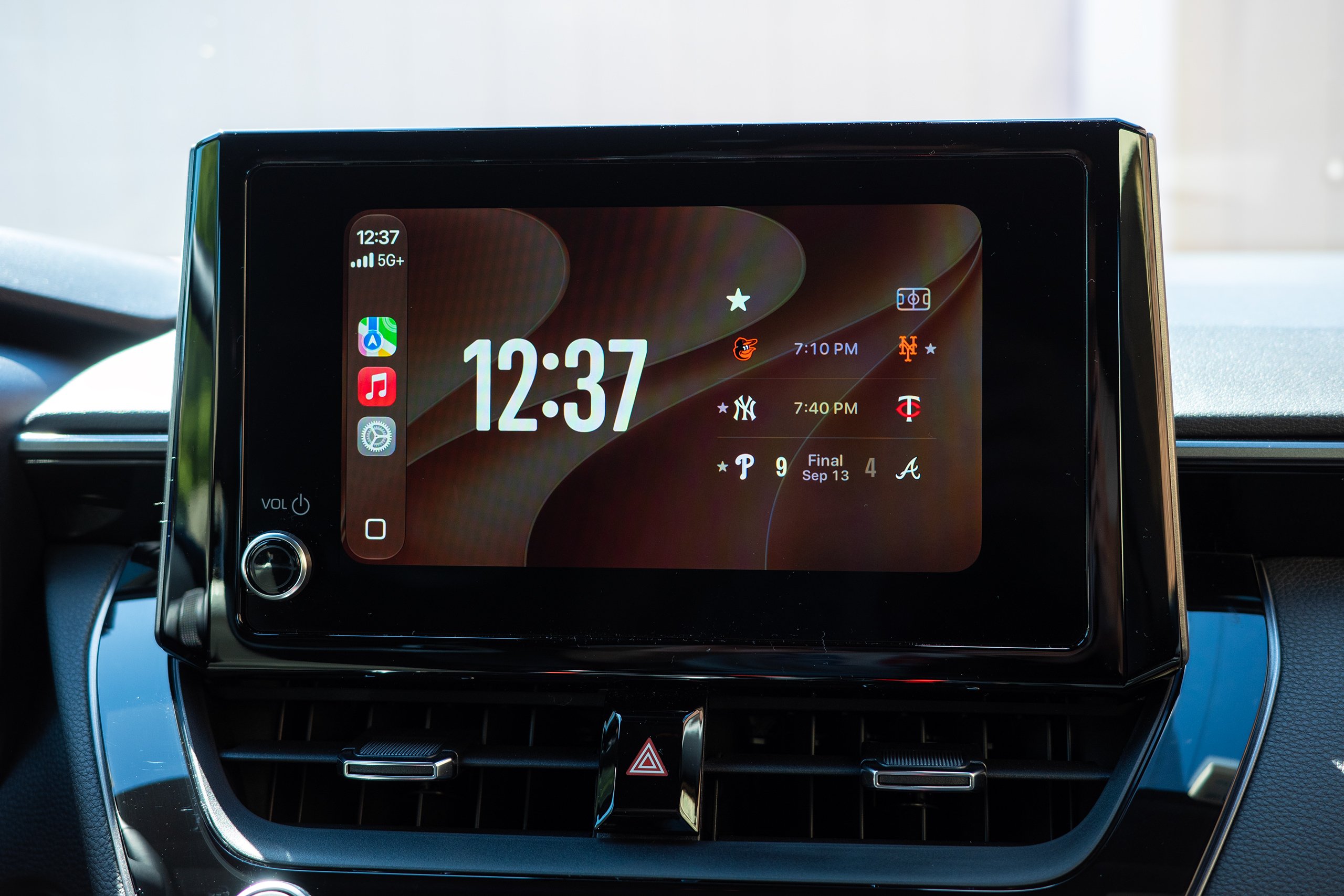
Last year’s software introduced the divisive Liquid Glass aesthetic, along with widgets and fresh options to adjust CarPlay’s UI scaling to your vehicle’s display size. However, the 2027 update is perhaps even more beneficial—albeit in specific, minor ways.
I have been using iOS 27 on my iPhone 17 for a few days now, having installed the final Release Candidate beta, which closely resembles the final version that most users will be downloading today. While most of the UI redesign was accomplished last year, iOS 27’s CarPlay appears slightly more refined, with the Liquid Glass theme consistently spanning more of the interface, expanding to new wallpapers and animations.
On the widgets page, you are no longer constrained to the overly simplistic clock, calendar, and weather widgets that Apple allowed for CarPlay—you can now include any widget you desire that would typically show on your iPhone’s home screen. That’s a really great enhancement.
You can also utilize the new dedicated Siri app to revisit previous conversations had with the occasionally clever digital assistant, and I genuinely believe this can, based on the request, be more advantageous than trying to recall what you previously said that led to a successful query. Siri remembers that you requested it to “play the new Olivia Rodrigo album” or “text Jerry that the GR Corolla outshines the Civic Type R,” and you can simply tap on these past requests to initiate them once more. The only caveat is that you will need a newer iPhone that accommodates the new, AI-driven Siri and enable it within your device’s settings before you can use the Siri app and view previous conversations.
However, my two favorite features pertain to navigation and media playback. First, if you’re using Apple Maps for navigation, as I do, and you wish to transfer your route to your vehicle’s built-in mapping software, you can now do that. In theory, this might prove useful if your vehicle’s navigation system offers additional features that Apple Maps doesn’t, such as routing with charging stops considered for EVs. Depending on your vehicle, you may benefit more or less from this feature, but it should help connect the gap between phone projection and automakers’ own systems—a gap that some brands, like GM and Rivian, have leveraged to argue that CarPlay shouldn’t be available at all. For reference, my all-gas Corolla’s infotainment system did not support this specific functionality.
Lastly, users can now scrub through media within music and podcast apps—meaning, drag the playhead through the duration of the song to reach the desired point. It’s honestly astonishing that this wasn’t feasible earlier, and I cannot for the life of me grasp why, especially as automaker infotainment systems have granted this freedom.
One feature that doesn’t seem to be functioning widely yet is the ability to play videos on vehicle displays while parked. Apple and Google unveiled this earlier in the year at their respective developer conferences to significant excitement, but they both indicated that automakers would need to whitelist the functionality in their products before it could actually be implemented. The car must be able to relay its driving state to iOS and Android for this to operate reliably and safely, after all.
Have a CarPlay hack that enhances your drive? Get in touch at [email protected]
**New Features of iOS 27 CarPlay: Insights from User Experience**
With the launch of iOS 27, Apple has introduced a variety of new features to CarPlay, enhancing the user experience inside the vehicle. These updates aim to improve usability, personalization, and integration with automotive systems. Here are some noteworthy features based on user feedback.
**1. Enhanced Dashboard Customization**
One of the most commended features is the improved dashboard customization. Users can now rearrange app icons and select which widgets to display, creating a more tailored interface. This flexibility allows drivers to prioritize the information they find most essential, such as navigation, music, or messages, all within a single screen.
**2. Multi-Display Support**
iOS 27 CarPlay now enables multi-display setups in compliant vehicles. This means that users can have various apps shown on different screens, enhancing multitasking capabilities. For example, navigation can be featured on the primary screen while music controls are available on an auxiliary display, providing a cohesive experience without overcrowding one screen.
**3. Improved Siri Integration**
Siri has undergone remarkable upgrades in iOS 27, rendering voice commands more intuitive and responsive. Users have observed that Siri can now manage more complex queries and execute commands more swiftly, such as sending messages or adjusting climate settings. The enhanced natural language processing facilitates a more conversational interaction, reducing the necessity for repetitive commands.
**4. Advanced Navigation Features**
The navigation experience in CarPlay has been upgraded with real-time traffic updates and alternative route suggestions. Users have noted that the system can now forecast traffic patterns based on historical data, aiding them in avoiding congested routes. Additionally, the integration with third-party navigation apps has improved, granting users additional options and flexibility.
**5. New App Integrations**
iOS 27 has broadened the array of compatible apps, including popular third-party services for food delivery, parking, and even electric vehicle charging stations. Users appreciate the ease of accessing these services directly through CarPlay, making it simpler to manage tasks without exiting the driving context.
**6. Focus Mode Compatibility**
With the introduction of Focus modes, CarPlay now allows users to customize notifications based on their driving preferences. For instance, a “Driving” Focus mode can mute non-essential notifications while permitting crucial alerts, aiding in minimizing distractions and boosting safety.
**7. Improved Media Controls**
The media playback interface has been streamlined, with users enjoying easier access to their favorite playlists and podcasts. The new “Now Playing” widget provides a more detailed view of what’s currently playing, along with quick access to controls, simplifying the process of switching between different media sources.
**8. Vehicle Health Monitoring**
For compatible vehicles, iOS 27 CarPlay includes features that monitor vehicle health, such as tire pressure and fuel levels. Users find this integration useful for keeping track of their vehicle’s condition without needing to consult separate apps or dashboards.
**Conclusion**
The new features of iOS 27 CarPlay showcase Apple’s dedication to improving the user experience while driving. With enhanced customization, advanced navigation, and better integration with third-party apps, users are discovering CarPlay to be a more potent tool for managing their digital lives on the road. As more vehicles become compatible with these updates, the overall driving experience is poised to evolve into an even more connected and user-friendly environment.